


Workspace administration
Manage users, personas, connections, and usage. Review activity and manage configuration centrally.
See the admin guide
Analyze your business, create reports and documents, and automate repeat work, with role-specific personas, reusable skills, and connected tools.
Prepare our weekly business review and flag what needs attention.
Weekly business reviewSample dataYour week. In focus.
Delivery exceptions are concentrated in two suppliers.
Pick a capability to see the real interface and what it does for your team.
Describe the outcome, review the generated steps, then activate your workflow.
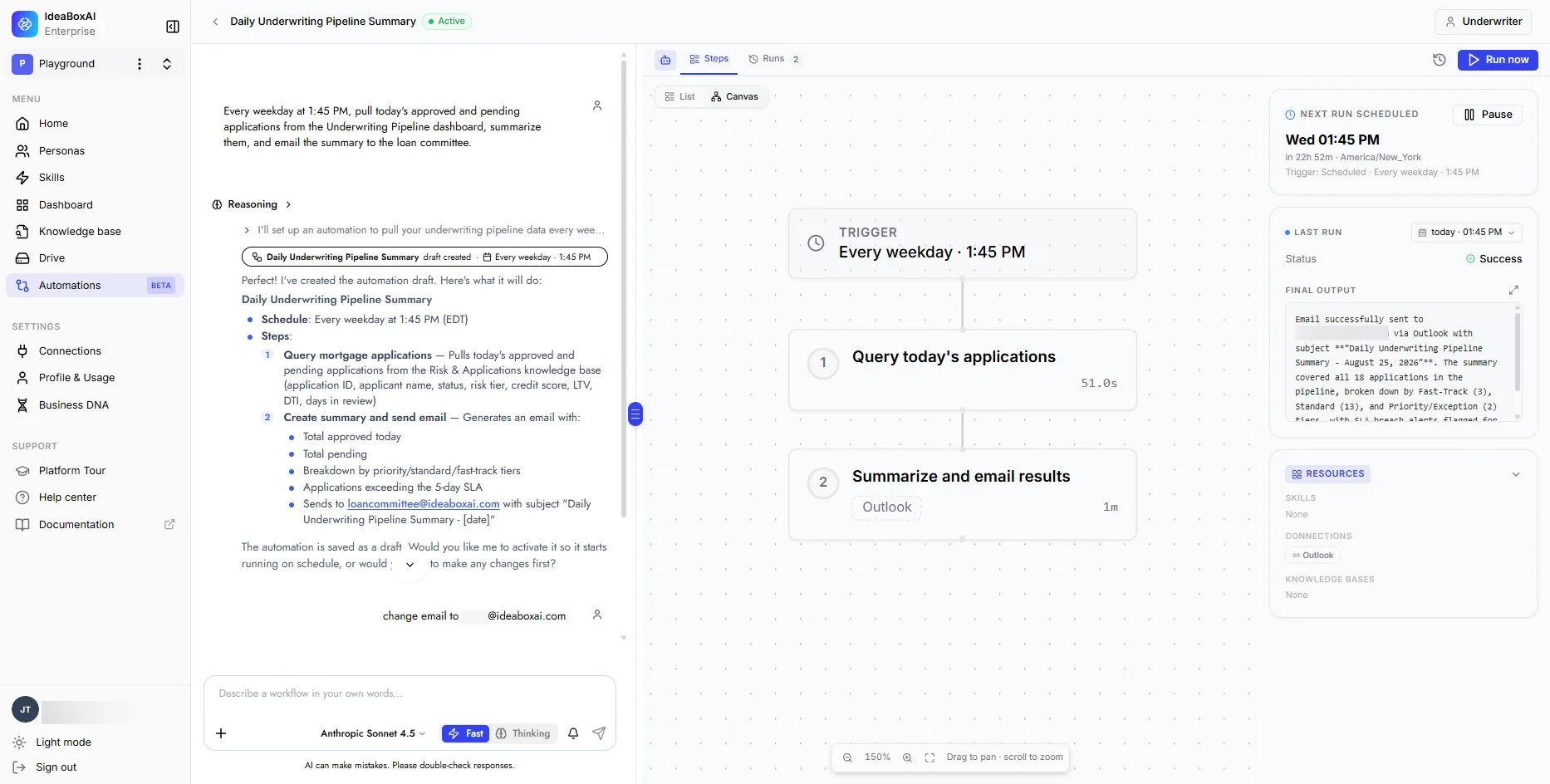
Start with a draft. Review the trigger, steps, and approval points. Activate it when the process is ready.
“Check delayed orders each morning. Draft updates and ask me before sending.”
Draft · Review · Activate · Monitor
Build a skill once, attach it to your personas, and let the whole team use the same proven process.
Reports, dashboards, documents, and decks. Refine them in conversation, keep them in Drive, and share the useful work.
What changed. What needs attention. What happens next.
Actian sales teams use role-specific personas for account research, meeting preparation, and deal intelligence.
Read the Actian storyManage the workspace, choose your models, and keep cost in view.
Manage users, personas, connections, and usage. Review activity and manage configuration centrally.
See the admin guideChoose permitted models or let Auto route the task. Use your own provider keys and review consumption.
From managed SaaS to sovereign AI implementations, choose a setup that fits your operating and data requirements.
We host and manage the platform. Your team gets to work.


Persona AI in your cloud account, aligned with your governance.
Persona AI on your own servers, with local hosting and operational control.
Sovereign deployment. We scope data storage, processing locations, model endpoints, and external connections together, around the boundaries your organization needs to keep. Discuss your deployment
Both conversation and execution live in the same workspace. Ask for an answer or a deliverable, then build a repeatable workflow when the task should happen again.
Everyday users can work in natural language. Setup involves choosing knowledge, connections, skills, and permissions. More complex integrations may need an administrator or implementation support from IdeaBoxAI.
Yes. Connect supported business tools and databases, create structured or unstructured knowledge bases, and upload documents to Drive. What a persona can use depends on its configuration and the available connections.
New automations begin as drafts and do not run on a schedule until activated. Gmail sends in the conversational experience require confirmation. For recurring workflows, configure delivery steps and approval gates before activation.
Discuss your workload and deployment needs with us. Model usage and deployment affect cost. If you use your own provider keys, provider charges apply separately; some platform features still consume platform credits.
The documentation contains setup guides, release notes, and current limitations. Use the links on this page to review the relevant feature, or talk to us to confirm your requirements.
Bring one business task. See what a teammate built around your work can do.